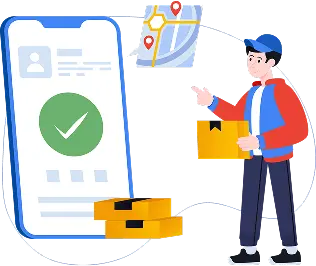
ePOD Software: How Electronic Proof of Delivery Works
ePOD software replaces paper delivery notes with a digital record created at the point of delivery. A driver uses a mobile app to capture the customer’s e-signature, photos, and notes. The record goes to a central portal and, where an ERP is connected, back into your business system.
This guide follows a delivery from order to confirmation, explains what the software does at each step, and lists what to check before you choose a system.
What ePOD Software Is
ePOD stands for electronic proof of delivery. ePOD software has two main parts. The first is a mobile app that drivers use in the field. The second is a management portal that your office uses to assign, track, and review deliveries. Many systems also connect to an ERP so that orders and confirmations move between systems automatically.
KPoD, KAISPE’s ePOD software, follows this model. Drivers use the KPoD app on Android or iOS, and your team works in the KPoD portal.
How ePOD Software Works, Step by Step
The order arrives. A sales order, service order, or invoice becomes a delivery or collection job. In KPoD, jobs can come from your ERP, from the Order & Delivery Management portal, or from other integrated systems.
The delivery is scheduled and assigned. The office reviews the schedule and assigns each job to a driver or delivery resource.
The driver loads the day’s jobs. The driver syncs the app and loads the assigned data, so everything needed is on the device.
The driver delivers and captures proof. At the door, the driver collects the customer’s e-signature, takes photos with time, date, and location stamps, and adds notes.
The record is saved, even without signal. If there is no connection, the app stores the data on the device and syncs it automatically when the connection returns.
The office sees the result, and the ERP is updated. The portal shows live tracking and the proof record. With ERP integration, the e-signature, photos, and notes can sync to the ERP.
What Electronic Proof of Delivery Replaces
Before ePOD, a delivery usually ended with a signed paper note. The driver carried it back, someone in the office filed or scanned it, and someone else typed the details into a system. Each handoff is a chance for the note to be lost, damaged, or misread, and the office does not see the result until the paper returns.
With electronic proof of delivery, the evidence is created once, at the door, in a form your team can search and share. Nothing needs to be carried back, scanned, or typed again.
A Simple Example
A distributor delivers twelve cartons to a customer. The job appears in the driver’s app, assigned from the portal. At the door, the driver counts the cartons and sees two are damaged. The driver photographs the damage, adds a note, and asks the customer to sign on the screen. The record syncs to the portal straight away. The office sees the note and photos and can follow up with the customer without calling the driver or waiting for paperwork. This is an illustration of the process, not a customer story.
Common Delivery Problems It Helps Solve
Lost or unreadable paperwork. Records are stored digitally instead of on paper that can be damaged on the road.
Slow confirmation. Proof is available when the delivery is completed, not days later.
Questions about a delivery. Your team can open the signature, photos, and timestamp instead of searching through files.
Re-keying. With ERP integration, delivery data does not need to be typed in again.
Poor visibility. Dispatchers and managers see progress in the portal instead of calling drivers.
Who Uses ePOD
Any business that delivers goods can use it. The KPoD website names retail and e-commerce, healthcare and pharmacy, and logistics and distribution as example industries and says the solution can be adapted to others. See the industries page for details.
The Parts of an ePOD System
An ePOD system is more than a signature pad. These parts work together:
Mobile app. Used by drivers to open jobs, capture proof, and update status.
Management portal. Used by the office to manage schedules, assign resources, track progress, and view proof records.
Cloud storage. Holds the records, with encryption, so they are easy to find later.
ERP and API connection. Moves orders and confirmations between the ePOD system and your ERP.
For a closer look at each part, see our guide to electronic proof of delivery system components.
What Drivers Capture at the Door
At the point of delivery, the app records the evidence your team needs:
E-signature. The customer signs on the driver’s device.
Photos. Photos carry time, date, and location stamps, which help show when and where the delivery happened.
Notes. Drivers add comments about the delivery, such as damaged items, a short delivery, or a note from the customer.
Together, these give a fuller record than a signature alone. The signature shows who received the goods, the photos show what arrived and in what condition, and the notes explain anything unusual.
What Happens When There Is No Signal
Delivery work often happens in warehouses, basements, and rural areas where the connection drops. A good app does not stop the driver. In KPoD, the app keeps saving activity on the device and syncs it automatically once the connection is back. Drivers can finish their jobs and move on, and the record reaches the portal later.
ePOD vs a Simple Photo App
Some teams start by asking drivers to photograph the paper note or the goods and send the picture by message or email. This is better than nothing, but it leaves gaps. The photos are not tied to an order, nobody sees status in one place, and someone still has to find the picture and enter the details by hand. A dedicated ePOD system links the signature, photos, and notes to the delivery job, shows progress in a portal, and can pass the result to your ERP.
What the Office Sees
Once records sync, your team can work from live information instead of phone calls and paper:
Live tracking and updates. Delivery progress is visible to dispatchers and managers, and customers can be kept informed.
Proof records. The signature, photos, and notes sit against the delivery.
Order history and insights. Past deliveries are easy to review.
Dashboards and reports. Teams can monitor performance and spot where to improve.
What Flows Back to Your ERP
If your ERP is connected, the system can close the loop. In KPoD, e-signatures, photos, and customer notes can sync with the ERP, and live delivery progress can show inside it. KPoD offers optional integration with Microsoft Dynamics 365 Finance & Supply Chain Management and Business Central, and it can be customized for other ERP systems. API documentation is available for other connections.
This matters because it removes re-keying. Finance and customer service work from the same delivery record as operations. Learn more in our ERP integration guide
What to Check in Any ePOD System
Use this list when you compare tools. It works for KPoD and for any other option:
Driver experience. Is the app quick and easy to learn? Ask drivers to try it.
Offline mode. Does it keep working without signal and sync later?
Evidence quality. Does it capture e-signatures, time-stamped photos, and notes?
Office visibility. Can your team see live status and proof records?
ERP connection. Which ERPs does it support, and what data moves?
Security. Are records stored securely and encrypted?
Languages and devices. Does it run on the devices and in the languages your drivers use?
Pricing and support. Is there a way to try it, plus documentation and support?
How KPoD Works
KPoD is KAISPE’s electronic proof of delivery solution. Your team creates or receives delivery jobs, assigns them in the portal, and sends them to the driver app. Drivers capture e-signatures, time-stamped photos, and notes, even offline. The portal shows progress and proof in real time, and the data can sync with your ERP.
You can start on the free plan or book a demo to see KPoD with your own delivery process.
Smarter Deliveries. Complete Visibility. Better Control.
Track deliveries in real time, capture digital proof of delivery, and keep every delivery team connected.
View on Microsoft MarketplaceePOD Software FAQ
What is ePOD software?
ePOD software is a system that lets drivers confirm deliveries on a mobile device instead of paper. It captures the customer’s e-signature, photos, and notes at the door and stores the record where your team can see it. KPoD is KAISPE’s ePOD software, with a driver app and a management portal.
How does ePOD work?
A delivery job is assigned to a driver. The driver delivers, captures proof in the app and, if needed, works offline. The record syncs to the portal in real time and can sync to your ERP, so no one has to type it in again.
What is the difference between ePOD and POD?
POD means proof of delivery and covers any evidence of delivery, paper or digital. ePOD means electronic proof of delivery, where that evidence is captured and stored electronically.
What data does ePOD software capture?
KPoD captures e-signatures, photos with time, date and location stamps, and customer notes. Order information comes from the job the driver is working on, and status updates show progress.
Can ePOD software integrate with my ERP?
Yes, with the right system. KPoD integrates with Microsoft Dynamics 365 Finance & Supply Chain Management and Business Central, and can be customized for other ERP systems. API documentation is available for other connections.
Does ePOD work offline?
With KPoD, yes. The app saves data on the device when there is no internet and syncs it automatically once the connection returns.